
Music theory and reading sheet music
Step-by-step guide
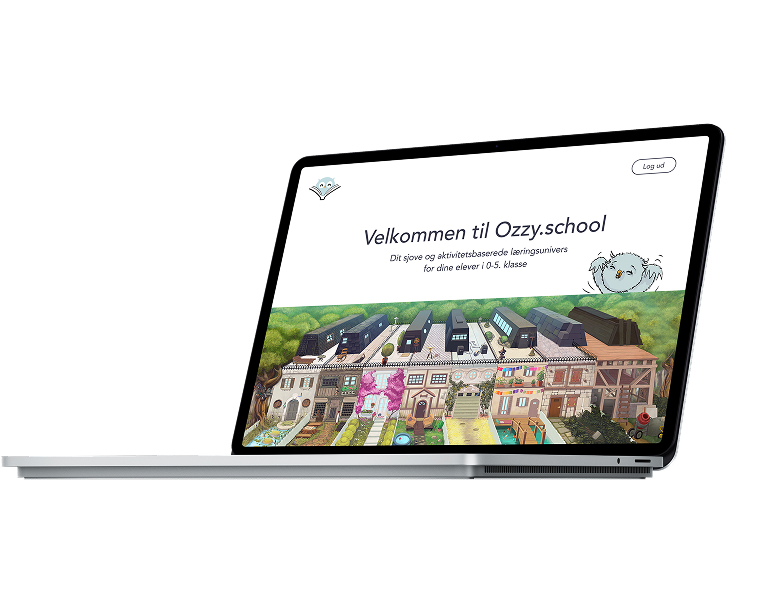
Once you have a login, you can start teaching immediately. All you need is your class gathered and a big screen to share the material – everything else is ready inside Ozzy.School.
Choose your program
Ozzy.School offers two courses — both designed as complete journeys through story, music, and activities.*
*Ozzy 1 is the recommended starting point for all classes, where Ozzy 2 is best used after completing Ozzy 1

OZZY 1
Ozzy Learns to Play
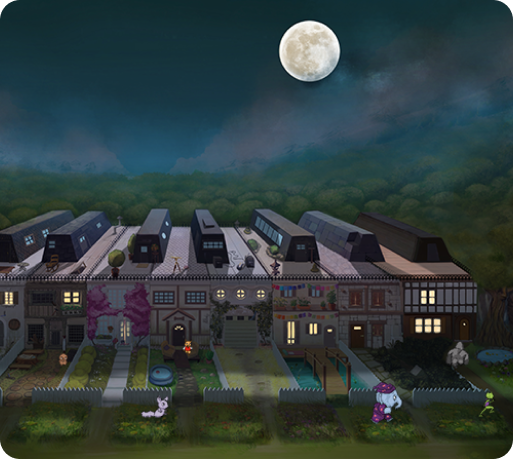
OZZY 2
Ozzy in the Hall of the Mountain King
Chose a chapter
Ozzy’s story is divided into 9 chapters. Each one includes a film, activities, songs, and a game — all ready to use in class.
Begin with the Introduction to meet Ozzy and his dream of learning music. This shorter chapter sets the stage.
Watch the film together, then discuss the quiz questions. After that, follow the chapters in order, each one building naturally on the last.

A guide on how to use
This flow is a ready-made lesson and can be completed in one class. But don’t hurry — you can always continue where you stopped next time, or repeat activities for practice.
Everything in a chapter connects to the same theme (for example: rhythm in the Alligator chapter). The activities can be used in any order, though it usually works best to begin with the film. All chapters follow the same structure, so both you and the children know what to expect — and can look forward to the next step in Ozzy’s journey.
- Watch the film together
Start the video on the big screen.
Watch it together. introduce the new concept through Ozzy’s story. - Discuss the quiz questions
Show questions about the movie. Let students answer the questions. Or make a real quizz in groups.
- Do the exercises
Hand out 3 printed pages, with optional extra sheets for fast learners.
- Watch the music video
Now it’s time to stand up and sing along with Alligator’s song. Watch the video together, follow the clapping instructions.
- Play the game
Show it on the big screen, then let students try it individually on laptops or tablets.

Extra Material
Sing & Play
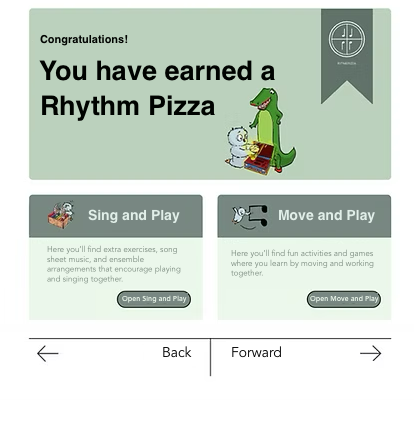
Here you’ll find more rhythm exercises and simple arrangements for Alligator’s song. These can be used during the course for extra practice — or you can return after finishing Ozzy 1, when the children can already read music.
Move & Play
Activities that get children moving while learning. Use them when the class needs energy — simple actions like standing tall for high notes, crouching for low notes, or clapping rhythms help students feel music with their whole bodies.
A quick access for students
Almost all of Ozzy.School’s material can be used together on the classroom big screen — in many cases, it’s enough if only the teacher logs in.
For games, students also have a quick access option:
- Go to ozzy.games in the browser.
- Enter the 6-digit code you show on the screen.
- The right game starts immediately.
This saves time, especially with younger students who may find logins difficult.
The free Ozzy App makes it even easier. Installed on tablets (by your IT person) or on students’ own devices, it lets them simply scan the QR code and start playing. The app also includes all films and music videos, so students can catch up at home if they miss a lesson.
Frequently asked questions

Getting started
How can I access Ozzy.School teaching material?
Access depends on which country your school is located in.
You can get Ozzy through our local partners:
- Finland – via Edukustannus
- Sweden – via Musikoteket
- Denmark – via Dansk Sang / Gyldendal
You can also request direct access by filling in the form on Ozzy.School.
How do I log in?
Login depends on how your school accesses Ozzy.
- If your school uses a publisher (Edukustannus, Musikoteket, Dansk Sang/Gyldendal), you log in through their platform.
- If you have direct access via Ozzy.School, you will receive login instructions by email.
If you’re unsure which login to use, contact us and we’ll help.
Do students need to log in?
Most Ozzy material does not require student login. You can teach using stories, songs, and activities with only the teacher logged in.
Students only need to use their own device when they are playing a game.
Game access is quick and simple:
- students scan a QR code, or
- type a short code shown on the classroom screen
The game opens immediately — no personal accounts or passwords are needed.
This makes it fast to start and easy to manage in the classroom.
Do I need any special equipment to use Ozzy.School?
Once you have a login, you can start teaching immediately. All you need is your class gathered and a big screen to share the material. Everything else is ready inside Ozzy.School.
How do I start using Ozzy in my lesson?
- Log in to Ozzy.School
- Choose a chapter, game, or activity
- Show it on the classroom screen
- Let students join using a code or QR
- Start playing together
You can begin immediately without long preparation.
Where should I start?
Ozzy.School is built around a story and follows a clear step-by-step structure.
We recommend starting with Chapter 1 and simply beginning there.
As you move forward, you’ll naturally discover the extra materials, games, and activities. Over time, you can choose the elements that best match your teaching style and your class.
You don’t need to learn everything before starting — just begin.
Can a substitute teacher use Ozzy.School?
Yes. Ozzy.School can be used by any teacher — even without a music background.
The basic material follows a clear, structured path and guides you step by step through the lesson. This makes it possible to teach basic music theory with confidence.
You don’t need specialist knowledge to get started — just follow the material.
Do I need to follow the material step by step?
The courses are designed to be followed from start to finish. This gives students the best and most engaging experience, as they follow the story while building musical skills step by step. Each chapter builds on the previous one.
In each chapter, one main subject is introduced and explored through a wide variety of material — songs, games, quizzes, and practical activities — so there is something to match every teaching style and every class.
However, the material is also flexible. Each chapter focuses on a specific theme, so you can choose individual activities or games if your class needs extra practice in a particular area.
You can follow the full journey — or use the parts that fit your teaching.
Games & App
How do students log in?
Students do not need personal accounts.
They can:
- Type in a simple code shown on the big screen
- Scan a QR code
- Access games directly via ozzy.games
This keeps login fast and simple.
Do students need to install anything?
No.
All games work directly in a browser.
The Ozzy app is optional and can be used for easier access, but it is not required.
What devices work with Ozzy?
Ozzy works on:
- iPads
- Chromebooks
- Laptops
- Desktop computers
What if students have trouble logging in?
Use the simplest method:
- Show the code clearly on the big screen
- Ask students to type it manually
If needed, students can work in pairs.
Can students play individually?
Yes.
They can play individually, in pairs, or participate together as a class.
Lessons & Materials
Is Ozzy suitable for beginners?
Yes. Ozzy.School is designed especially for beginners.
No prior musical knowledge or skills are needed. The material starts from the very basics and guides students step by step, making it easy for everyone to join and progress.
Do I have to print the exercises?
Printing the exercises is recommended, as working with pen and paper supports learning and helps you evaluate how well students understand the material.
However, it is not required. The same learning content appears in other formats throughout each chapter — in quizzes, songs, games, and activities — so the material also works without printing.
Each chapter includes:
- 3 pages of core exercises
- 3 pages of extra exercises
We recommend that all students complete the core exercises, while faster students can continue with the extra exercises.
Can Ozzy be used without student devices?
Yes.
You can:
- Play together on the big screen
- Use songs and rhythm exercises offline
- Combine digital and physical activities
Support
What if something does not work during class?
You can continue with:
- Singing
- Clapping rhythms
- Story elements
Then return to the game later.
Where can I get help?
You can contact us directly for support.
We are happy to help with technical or teaching-related questions.
WE’RE HAPPY TO HELP!
Need help or have a question?
Don’t worry if you’re unsure about something – we’re here to help you get started. Whether it’s about logging in, using the games, or planning your first lesson, you can always reach out to us.